
MimicPC is a cloud-based AI platform that puts 30+ powerful tools — Stable Diffusion, ComfyUI, FaceFusion and more — directly in your browser. No GPU. No installation. Just create.
Visit Site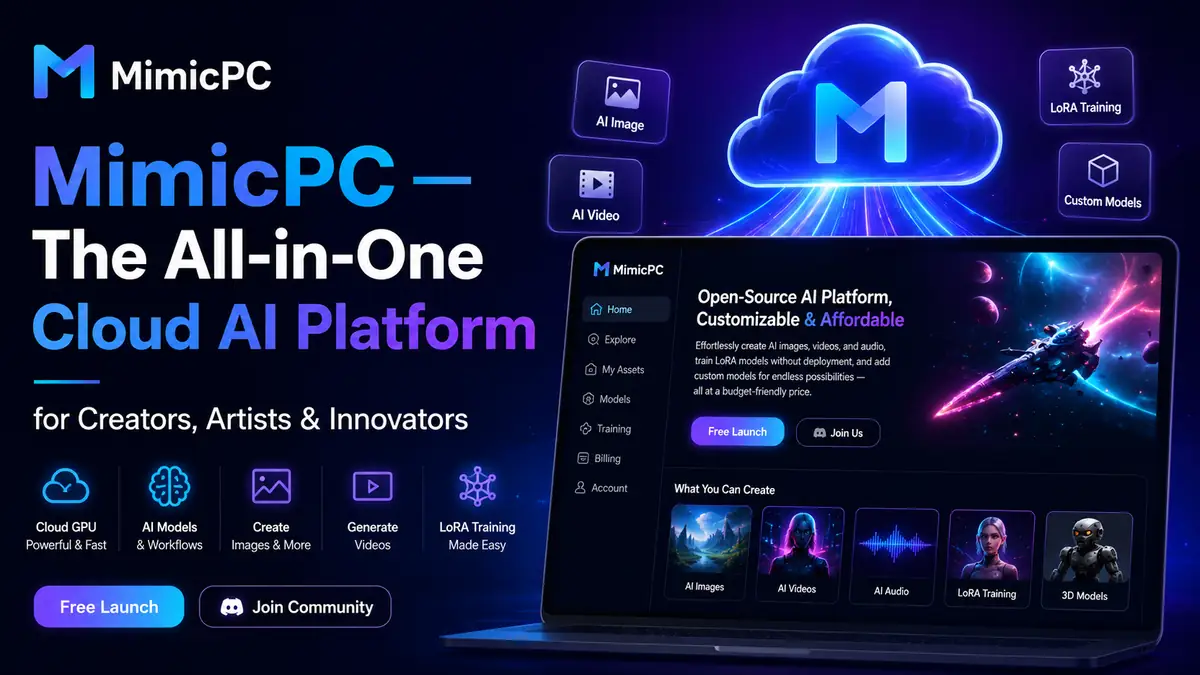
What Is MimicPC?
What if you could run the world’s most powerful open-source AI tools — without owning a single GPU? That’s exactly what MimicPC delivers.
MimicPC is a cloud-based AI platform that gives creators, artists, and developers instant access to over 30 pre-installed AI applications — all running in the cloud, all accessible from any browser. Image generation, video creation, face swapping, voice conversion, model training — it’s all there, ready to use in seconds, with no downloads, no Python environments, and no $3,000 graphics card required.
“MimicPC is the GPU in the cloud you always wanted but could never justify buying.”
Key Features of MimicPC
- 30+ Pre-Installed AI Apps: Launch Stable Diffusion, ComfyUI, Automatic1111, FaceFusion, Fooocus, RVC, and more with a single click — zero setup, zero installation headaches.
- Browser-Based Cloud GPU Access: Everything runs in the cloud. Open your browser, pick your tool, and start creating — whether you’re on a laptop, tablet, or an old desktop.
- AI Image Generation: Create stunning, high-resolution images using models like FLUX, SD 3.5, and Stable Diffusion — with support for Inpainting, Outpainting, and multiple style modes.
- AI Video Creation: Generate dynamic videos with realistic animations directly from text prompts or images, powered by the latest open-source video models.
- Face Swapping & Enhancement: FaceFusion and Roop-Unleashed deliver realistic, deep-learning-powered face swaps and restoration — ideal for video production and virtual avatar work.
- Voice Conversion & Audio AI: RVC (Retrieval-based Voice Conversion) lets you clone voices, convert audio styles, and produce text-to-speech with impressive realism.
- Custom LoRA Model Training: Train your own LoRA models directly on the platform — no complex setup needed. Your models, your style, your creative fingerprint.
- ComfyUI Workflow Builder: Design and deploy custom AI pipelines using ComfyUI’s visual node interface — then share them with the community or keep them private.
- Full Data Privacy: Your models, datasets, and generated content are stored in your personal cloud space. MimicPC makes no ownership claims on your work.
- Energy-Saving Mode: Intelligent GPU monitoring automatically conserves resources when idle — reducing costs without sacrificing performance.
How to Use MimicPC
- Step 01 – Create an Account: Sign up at MimicPC.com. New users receive starter credits to explore the platform before committing to a plan.
- Step 02 – Choose Your AI Tool: Browse the app library and select your tool — Stable Diffusion, ComfyUI, FaceFusion, RVC, or any of the 30+ available apps.
- Step 03 – Launch in One Click: No installation required. The app launches directly in your browser, fully configured and ready to use within seconds.
- Step 04 – Create & Customize: Run prompts, upload images, train custom models, or build ComfyUI workflows. Adjust GPU power as needed for your project’s demands.
- Step 05 – Save & Manage Files: All outputs are saved to your personal 50GB+ cloud storage — accessible 24/7, with one-click deployment for your custom models.
- Step 06 – Download or Share: Export your creations in PNG, JPG, WEBP, or video formats — or share ComfyUI workflows with the MimicPC community.
Who Is MimicPC For?
MimicPC is built for anyone who wants to use powerful AI tools without the hardware barrier — from first-time creators to seasoned professionals.
- Digital Artists & Illustrators generating AI images and concept art
- Video Creators & YouTubers producing AI-powered video content
- Photographers using AI for face restoration and image enhancement
- Developers & AI Researchers experimenting with open-source models
- Marketing Agencies producing AI-generated visuals at scale
- AI Hobbyists who want to explore the latest models without buying hardware
Pros & Cons of MimicPC
Pros- No GPU or local installation required — runs in any browser
- 30+ pre-installed AI apps ready to launch in one click
- Affordable Pay-As-You-Go from $0.29/hr — only pay for what you use
- Full ownership of your generated content — no IP claims
- Supports custom LoRA training and ComfyUI workflow building
- Energy-saving mode actively reduces idle costs
- Active Discord community and extensive tutorial library
- Base storage (50GB) may feel limited for heavy model users
- Advanced features can feel overwhelming for complete beginners at first
- Performance depends on GPU tier selected — Bargain tier can be slower
- Some users report occasional rendering delays under high load
Pricing & Plans
MimicPC offers flexible plans designed to fit casual experimenters and serious creators alike. A free starter credit is included for new accounts.
- Pay-As-You-Go — from $0.29/hr Access all apps, 50GB storage. Best for occasional users and testing.
- Essential — $6.98/mo $12 monthly credit + 50GB storage. Ideal for regular hobbyists and part-time creators.
- Advanced — $13.48/mo Best Value $25 monthly credit + 100GB storage. Best for serious creators and daily use.
Pricing is 30% below the industry average for comparable GPU cloud services. One-time credit top-ups ($10, $50, $100, $200) are also available via PayPal for maximum flexibility.
What Makes MimicPC Stand Out?
Most cloud AI platforms lock you into a single tool or workflow. MimicPC is different — it’s a full creative studio in the cloud, consolidating image generation, video creation, audio AI, face manipulation, model training, and conversational LLMs into one unified platform.
Where competitors like Leonardo.ai focus narrowly on image generation, and RunComfy specializes in ComfyUI automation, MimicPC covers the entire creative spectrum. Add in the pay-as-you-go flexibility, the absence of local hardware requirements, and the open-source foundation that lets you customize everything — and you have a platform that genuinely grows with your ambitions.
Should You Try MimicPC?
If you’ve ever wanted to run Stable Diffusion, train a LoRA, clone a voice, or swap faces in a video — but didn’t want to spend thousands on a GPU or hours wrestling with Python dependencies — MimicPC is your answer.
It’s not just accessible. It’s genuinely powerful. The combination of 30+ pre-installed tools, flexible GPU options, custom model support, and an active community makes it one of the most complete cloud AI platforms available in 2025.
Start with the free credits. You’ll know within minutes whether this is the platform you’ve been waiting for.
Visit SiteFAQs
- What is MimicPC?
- MimicPC is a cloud-based AI platform that lets you run powerful AI tools like Stable Diffusion, ComfyUI, and FaceFusion directly in your browser — no GPU, no installation required.
- Do I need a powerful computer to use MimicPC?
- No. MimicPC runs entirely in the cloud. Any device with a modern browser can access the full suite of AI tools, regardless of local hardware specs.
- What AI tools are available on MimicPC?
- MimicPC offers 30+ pre-installed AI tools including Stable Diffusion, ComfyUI, Automatic1111, FaceFusion, Fooocus, RVC Voice Conversion, Ollama LLM, and more.
- How much does MimicPC cost?
- MimicPC offers Pay-As-You-Go from $0.29/hr, an Essential plan at $6.98/month, and an Advanced plan at $13.48/month. Free starter credits are available for new accounts.
- Who is MimicPC best for?
- MimicPC is ideal for digital artists, content creators, video producers, AI hobbyists, and developers who want access to powerful AI tools without investing in expensive GPU hardware.