
MagicLight AI is a powerful text-to-video platform for creating story-driven videos with ease. Generate animations, voiceovers, and professional videos from a single prompt.
Visit Site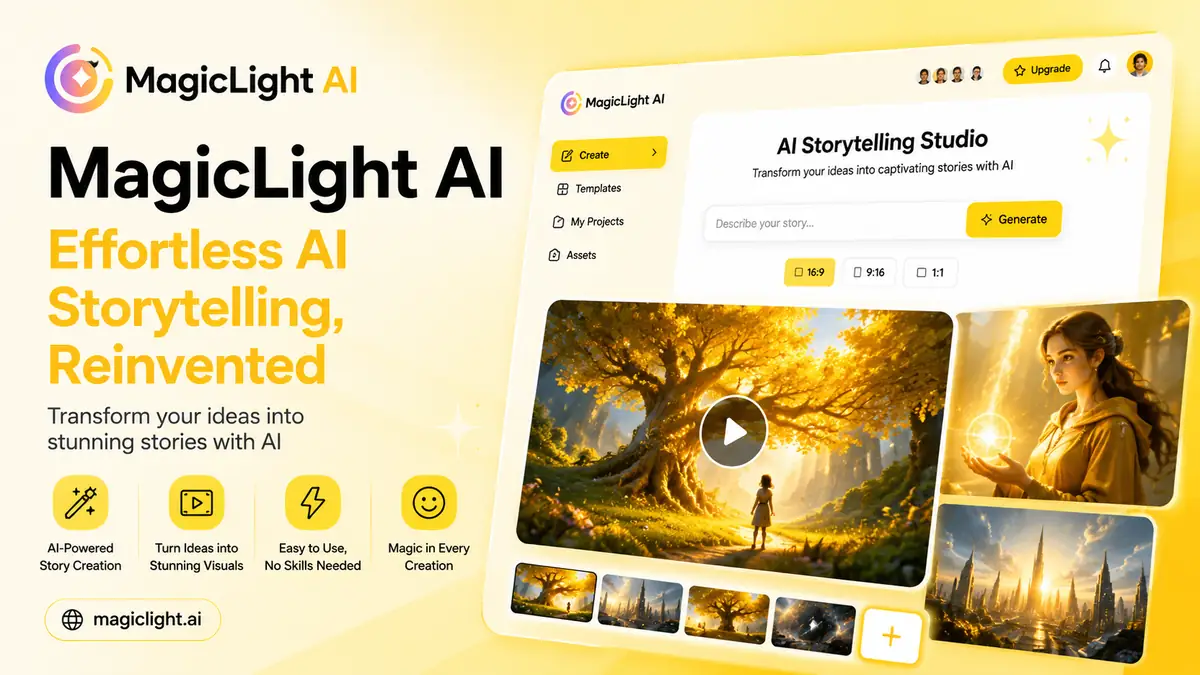
What Is MagicLight AI?
MagicLight AI is a combination of several aspects of AI technology — video generation, text-to-video story development, text-to-image creation, and animation synthesis — resulting in an aesthetically pleasing and coherent video production pipeline.
At its core, it is an AI-driven platform for creating narratives. The platform uses its proprietary Magic Light model to automatically generate storyboards, characters, and animations from a simple text input. You write the story; MagicLight builds the visual world around it.
“It’s not just another AI video tool. MagicLight feels like a full creative studio — you bring the idea, it handles everything else.”
Key Features of MagicLight AI
- Long-Form AI Video Creation: Produces full narratives lasting up to 50–60 minutes from a single prompt or script — far beyond the cap of most AI video tools.
- Consistent Characters: Feature-locking technology keeps characters visually consistent in appearance, expression, and style across every scene.
- Story-to-Video & Script-to-Video Generation: Feed it a prompt, outline, or full screenplay. The platform converts it into animated video scenes automatically.
- AI Animation and Editing: Supports automatic scene detection, image-to-video animation, and AI-powered editing tools to refine scenes post-generation.
- Voiceover & LipSync Services: Includes AI voiceover, natural voice options, and LipSync that matches character lip movements to the audio track.
- 10+ Animation Styles: Realistic, 3D Cartoon, Anime, Pixar-style, Stylized, 2D, and more — with controls over character appearance, color palette, and scene aesthetics.
- Workflow Templates: Pre-structured templates for kids’ stories, explainer videos, and social clips make it fast to start without building from scratch.
How to Use MagicLight AI
- Step 01 – Start with an Idea or Script: Write a short idea, story outline, or full script. Include storyline, tone, characters, and setting. The more detail, the more accurate the output.
- Step 02 – Storyboard & Scene Creation: MagicLight analyzes your script and generates a storyboard — complete with scene descriptions, visual design, and character actions.
- Step 03 – Character & Style Customization: Select an animation style (Realistic, Animated, 2D, Stylized, etc.) and customize character appearance, color, and scene aesthetics.
- Step 04 – Animation & Voice: The platform generates character animations, scene transitions, and adds an AI voiceover with LipSync automatically applied.
- Step 05 – Preview & Editing: Review the video preview. If anything looks off, re-generate that specific scene or adjust the input prompt.
- Step 06 – Download & Share: Export your final video and download it directly, or share to social platforms straight from the dashboard.
Who Can Use MagicLight AI?
MagicLight is built for a wide range of users — no professional video editing skills required.
- Content Creators & YouTubers looking to scale video output
- Marketers & Businesses building brand storytelling campaigns
- Educators & Trainers producing explainer or tutorial videos
- Filmmakers & Screenwriters prototyping visual narratives
- Graphic Designers & Artists exploring AI-assisted animation
- Kids’ content creators needing long-form animated stories
Pros & Cons of MagicLight AI
Pros- Long-form videos up to 50–60 minutes — rare among AI video tools
- Character consistency technology keeps visuals coherent across scenes
- No editing skills required — genuinely beginner-friendly
- 10+ animation styles including 3D, Anime, Pixar, and Realistic
- Free tier with 300 credits — enough to test meaningfully
- All-in-one workflow: script, storyboard, animation, voice, export
- Character consistency can fail on very long or complex productions
- Rendering long videos can be slow for some users
- AI voice quality can sound robotic in certain styles
- Limited manual editing tools compared to traditional video editors
- Some users report slow customer support response times
Pricing & Plans
MagicLight AI uses a freemium model. The free tier gives 300 credits to explore before committing to a paid plan.
- Standard — $12/mo 6,000 credits/month. Best for experimentation (~10 one-click story videos).
- Plus — $26/mo 15,000 credits/month. Up to 30 one-click story videos per month.
- Pro — $35/mo Best Seller 35,000 credits/month. Includes Gemini 3, ChatGPT 5, Veo & Sora Series access.
- Ultra — $90/mo 120,000 credits/month. Ideal for power users and high-volume creators.
- Max — $120/mo 180,000 credits/month. For agencies requiring maximum scalability.
What Makes MagicLight AI Unique?
MagicLight’s core differentiator is producing feature-length AI videos — up to 50 minutes — from a single script, with visual consistency in characters and storytelling throughout. Competing tools like Pika Labs or Runway ML are optimized for short clips and cannot match this.
It also handles the entire production pipeline — script analysis, storyboarding, animation, voiceover, and LipSync — in one place. For creators who want a single workflow from idea to finished video, that is a meaningful advantage.
Should You Try MagicLight AI?
If you need to produce long-form video content — stories, educational videos, branded content, or animated films — MagicLight AI is one of the strongest all-in-one options available in 2025.
It is not perfect. The AI voice can sound robotic, rendering can be slow, and character consistency is not bulletproof on very long productions. But for the level of output it produces — full-length, animated, voiced, story-driven videos — very little else on the market compares.
The free tier makes it risk-free to try. Start there, and upgrade only if the output convinces you.
Visit SiteFAQs
- What is MagicLight AI?
- MagicLight AI is a platform that uses AI to turn textual concepts into animated videos with consistent characters, producing content up to 50 minutes from a single script or prompt.
- How does MagicLight AI work?
- Users describe their story, choose a visual style (3D Cartoon, Pixar, Anime, Realistic, etc.), and the AI generates scenes with character animation, voiceover, captions, and music automatically.
- Does MagicLight AI maintain character consistency?
- Yes. MagicLight uses “feature-locking” technology to keep character appearance consistent across all scenes, though very long productions may occasionally show inconsistencies.
- Is there a free plan?
- Yes. MagicLight offers a free tier with 300 credits — enough to produce and test a short video before committing to a paid subscription.
- Who is MagicLight AI best suited for?
- MagicLight is best for content creators, YouTubers, educators, marketers, and filmmakers who want to produce long-form animated video content without professional video editing skills.
MagicLight AI Coupon, Promo Code, Coupon, Discount AI Video Generator MagicLight AI MagicLight